Contact Us
Contact Us
What Our Assets Management Include?
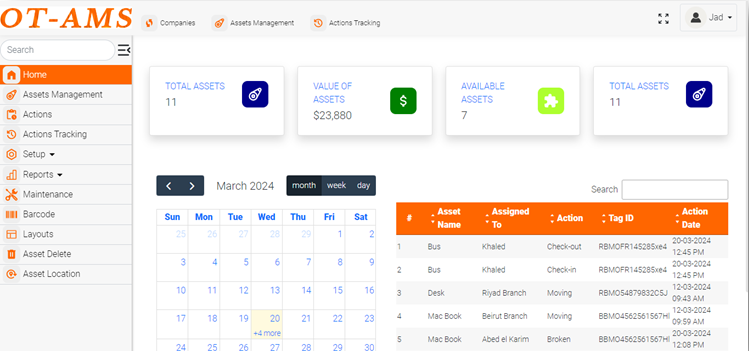
The Home screen serves as the central hub for users, providing quick access to essential features and a summary of key metrics through the dashboard. The dashboard typically includes graphs, charts, and numerical summaries that offer insights into asset performance, maintenance status, and other relevant data.
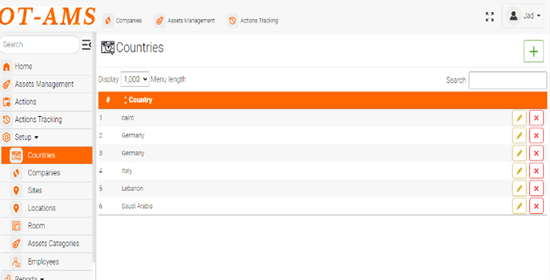
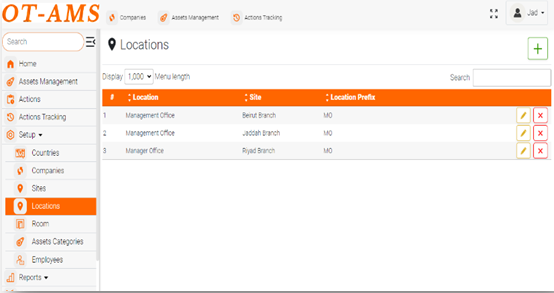
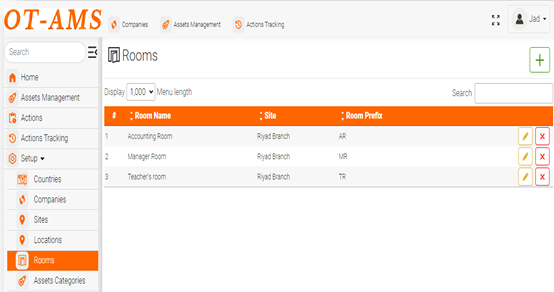
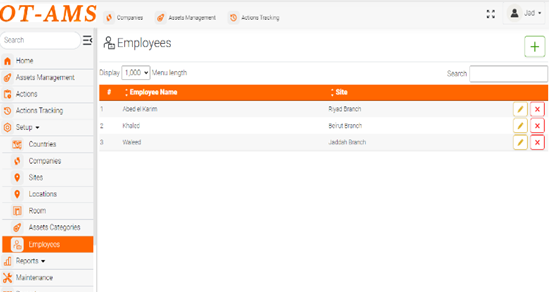
The Setup section covers the initial configuration of the assets management system. Users can add and customize various entities such as countries, companies, sites, locations, rooms, asset categories and employees according to their organizational structure and requirements.
This section permit user on managing assets within the system. It covers tasks such as adding new assets, editing existing asset details, associating assets with specific locations or categories, and retiring or deleting assets when necessary.
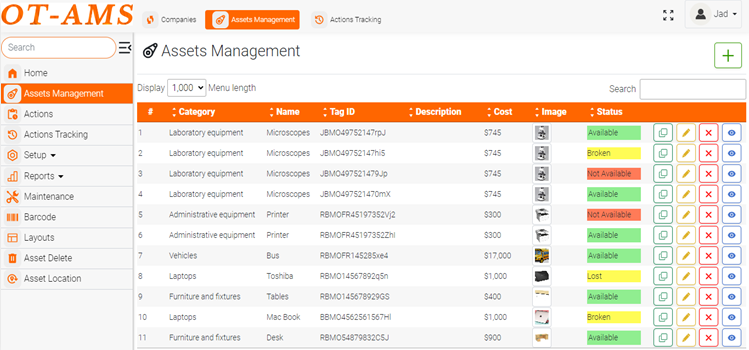
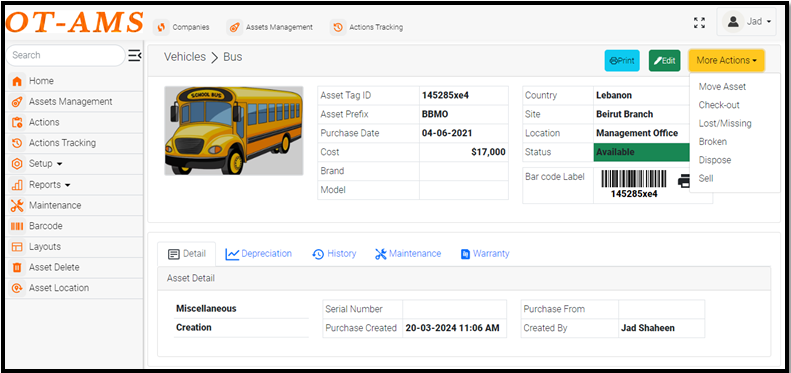
o Detail about Asset Management
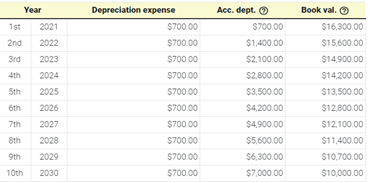
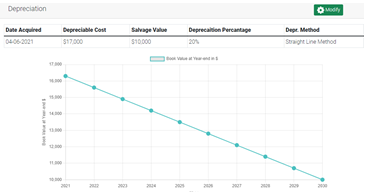
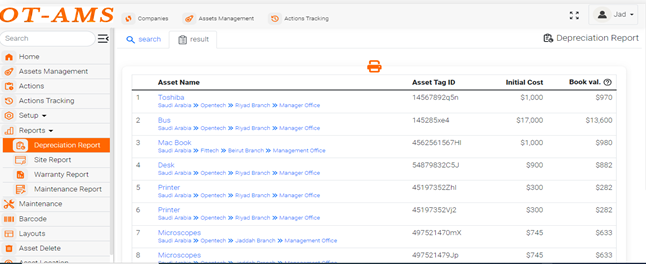
Several key details must be considered when calculating depreciation, including salvage value, depreciation rate, and the chosen depreciation method.
Graphs and tables can visually represent depreciation schedules, illustrating how an asset's value decreases over time under different depreciation methods and assumptions. These visual aids provide a clear understanding of how depreciation impacts an asset's value and financial statements, allowing for better decision-making.
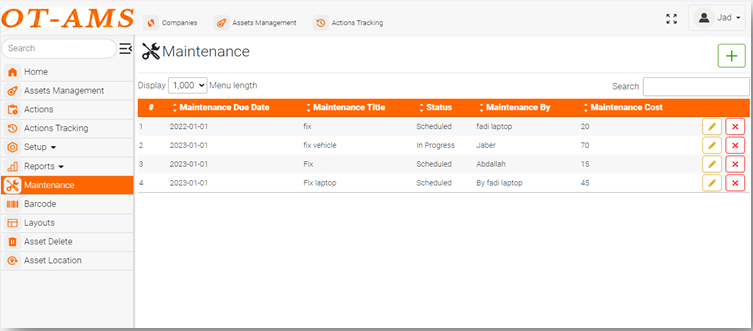
Asset maintenance is critical to ensuring its longevity and optimal performance. Scheduled maintenance tasks involve a structured approach to maintenance, usually organized by dates, addresses, responsible parties, and status updates. These tasks are performed carefully to prevent unexpected breakdowns and reduce downtime. By adhering to a pre-determined schedule, assets receive timely attention.

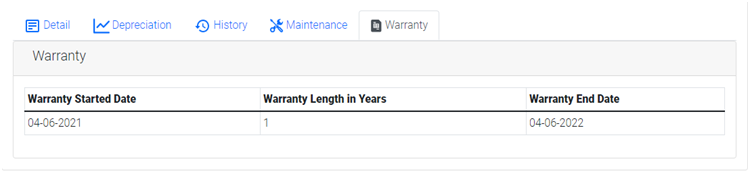
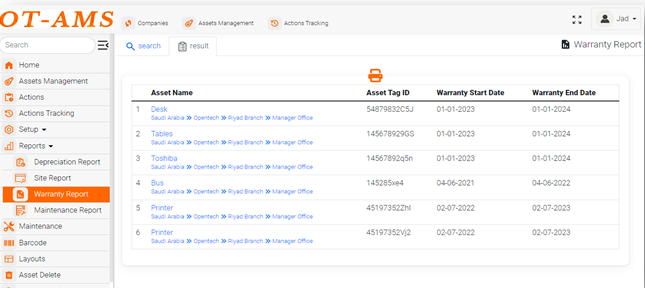
The warranty start date marks the beginning of the warranty period, usually based on the purchase or delivery date. The warranty duration defines how long the seller guarantees repair or replacement if the product fails to meet specified standards. The warranty end date marks the end of this coverage period.
Users can perform various actions on individual assets, change asset status (from Available to check-out, broken, lost or missing). This section provides guidance on how to implement these procedures effectively.
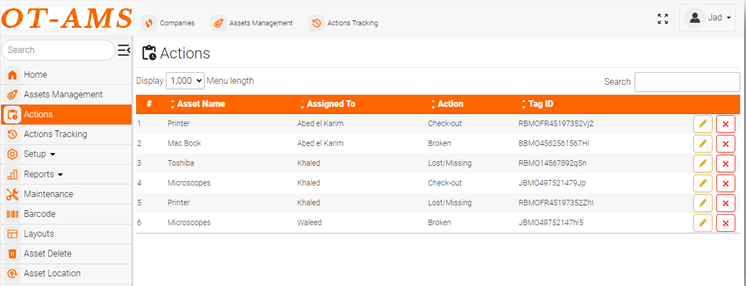
Tracking actions performed on assets is essential for maintaining an accurate history of asset movement. Users can review activity over time through logs, reports, and audit trails.
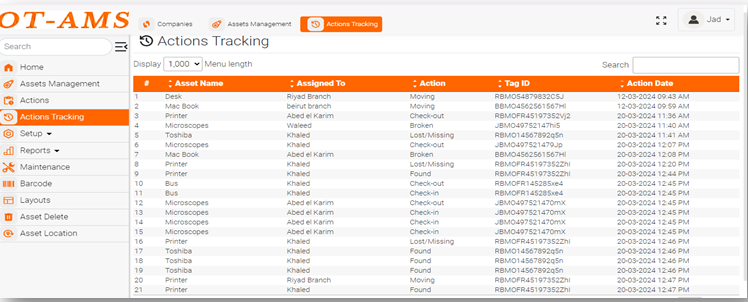
Reports provide insights into asset performance, maintenance activities, and compliance status. The system supports generating, customizing, and interpreting several report types, including:
1.Depreciation Reports: Provide a detailed overview of asset-value reduction over time using methods such as straight-line and declining-balance depreciation.
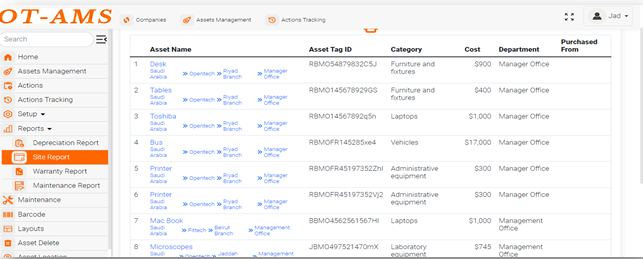
2.Site Reports: Show the location and distribution of assets across sites or facilities, including tag ID, cost, category, and department.
3.Warranty Reports: Track warranty start and end dates and help organizations use warranty coverage effectively by arranging repairs on time.
4.Maintenance Reports: provide insights into the maintenance activities performed on assets, including preventive maintenance schedules, status, repair history. These reports help organizations track asset performance and identify maintenance issues.
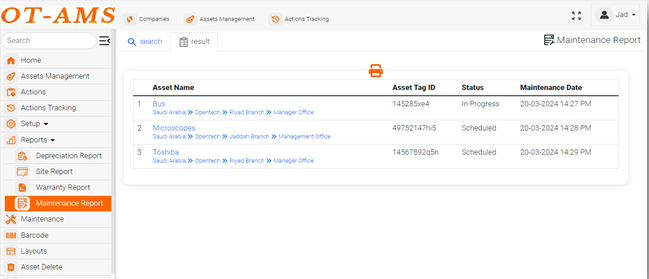
Maintenance is a key aspect of asset management, ensuring that assets remain in optimal condition and operational. This section covers scheduling maintenance tasks, managing work orders, tracking maintenance history, and analyzing maintenance data.