Contact Us
Contact Us
1.Introduction
To improve the organization of visits and provide a seamless experience for visitors. Here's how the system work:
1.A Dedicated Web Section for Visits that includes:
2.SHARING THE BOOKING LINK VIA WHATSAPP OR EMAIL:
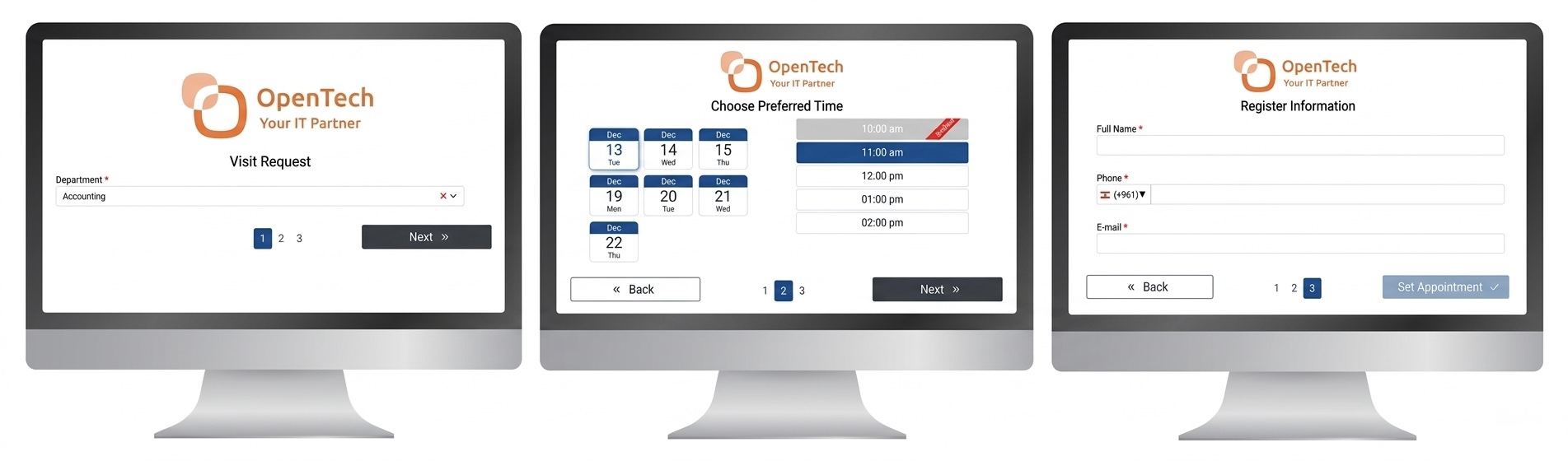
3.BOOKING PROCESS:
4.Put a Touch Tablet In Reception Area:
5.Notification System:
2.Features
1.WORK SETTINGS
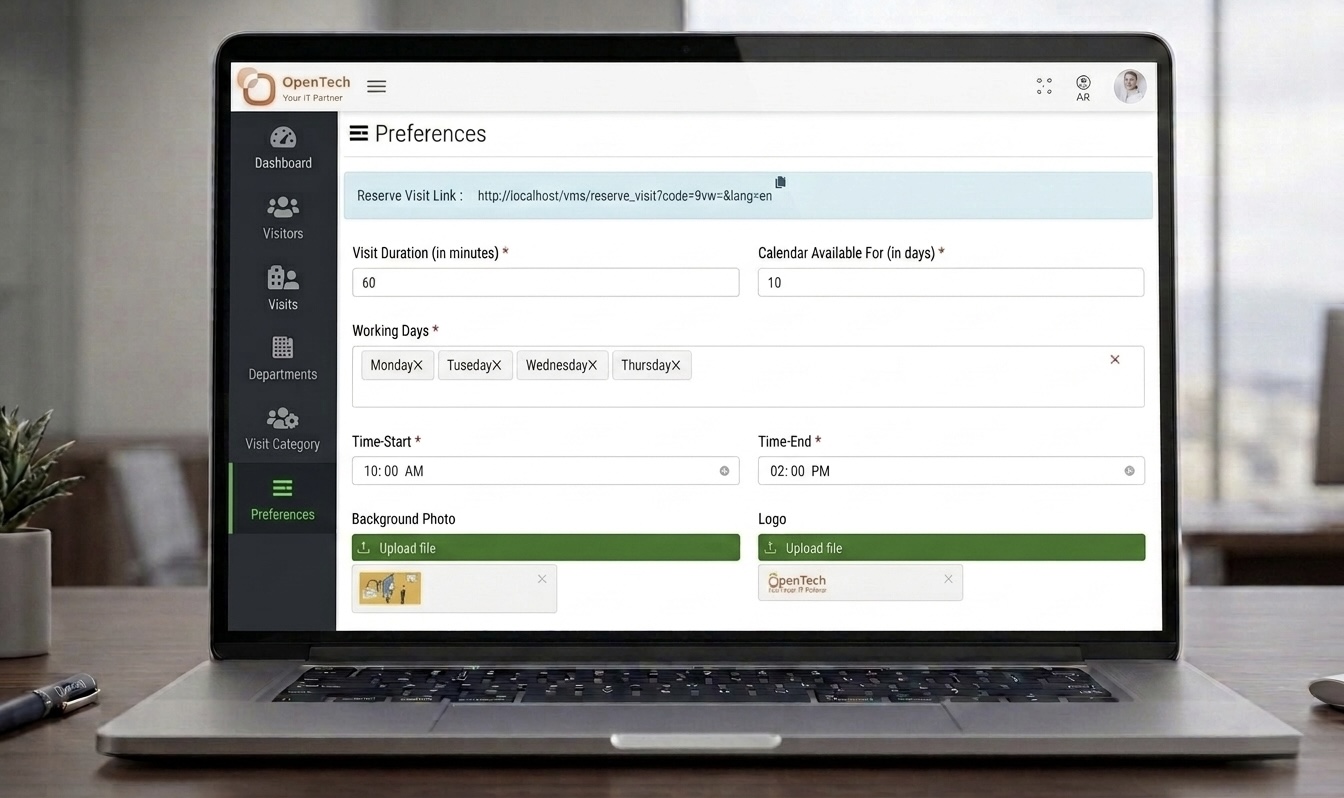
Management can configure time-related settings to set the reservation schedule.
 Fields for working days
 Fields for visit duration
 Days shown in the visitor reservation form
2.DEPARTMENTS
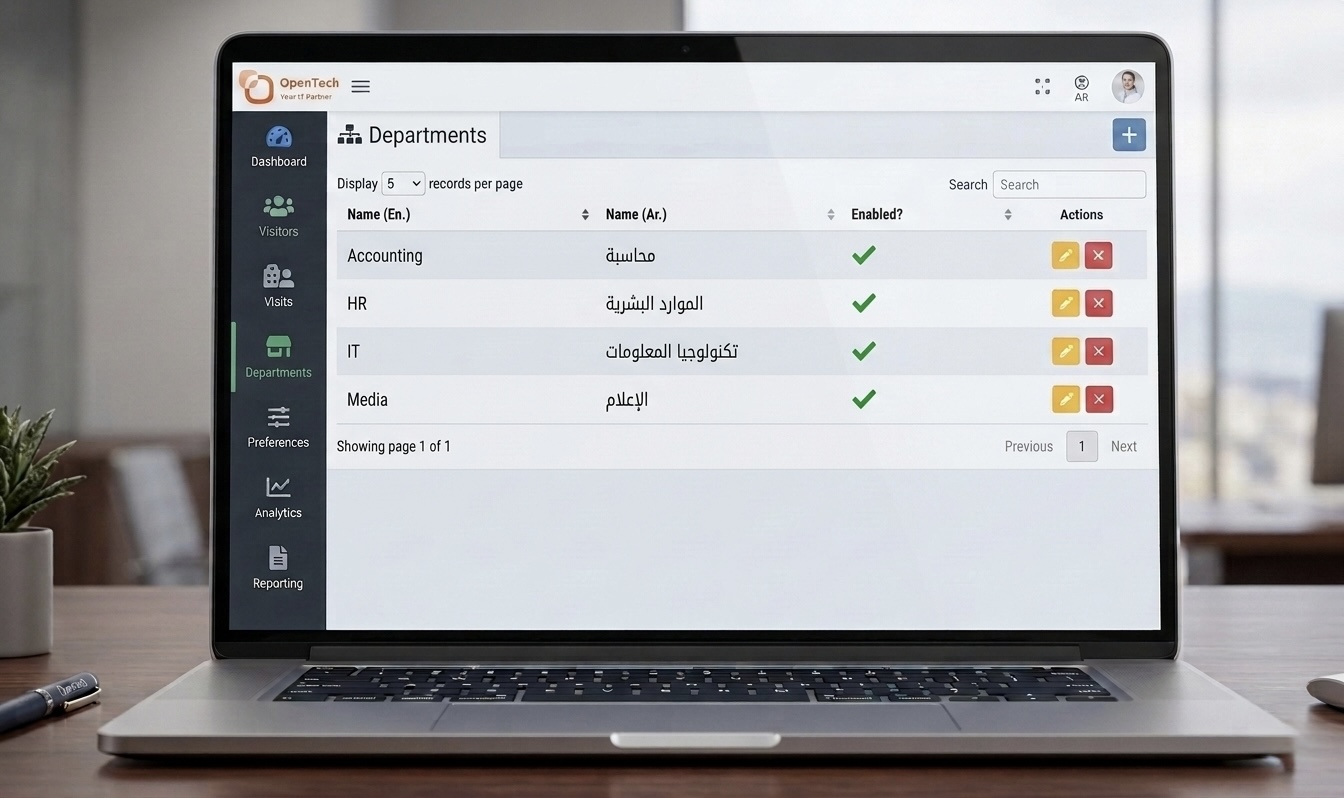
You can create one or more departments, with their names available in both English and Arabic. The form also provides an option to enable or disable specific departments.
3.Dashboard
1.KEY METRICS DISPLAY
Show high-level statistics to provide instant insights.
Departments and Status Dashboard
* TOTAL VISITS TODAY: Number of bookings scheduled for the current day
* VISITS IN PROGRESS: Real-time count of ongoing visits
* COMPLETED VISITS: Number of visits successfully completed today
* PENDING/UPCOMING VISITS: Visits yet to start
* CANCELLATIONS: Count of visits canceled per day
2.REAL-TIME BOOKING STATUS
Include a Booking Status Panel
* Display Visits Status: Upcoming, In Progress, Completed, Canceled
* Use color codes: Such as green for completed, yellow for upcoming...
* Include filters: To view specific types of bookings, such as by department or service type...
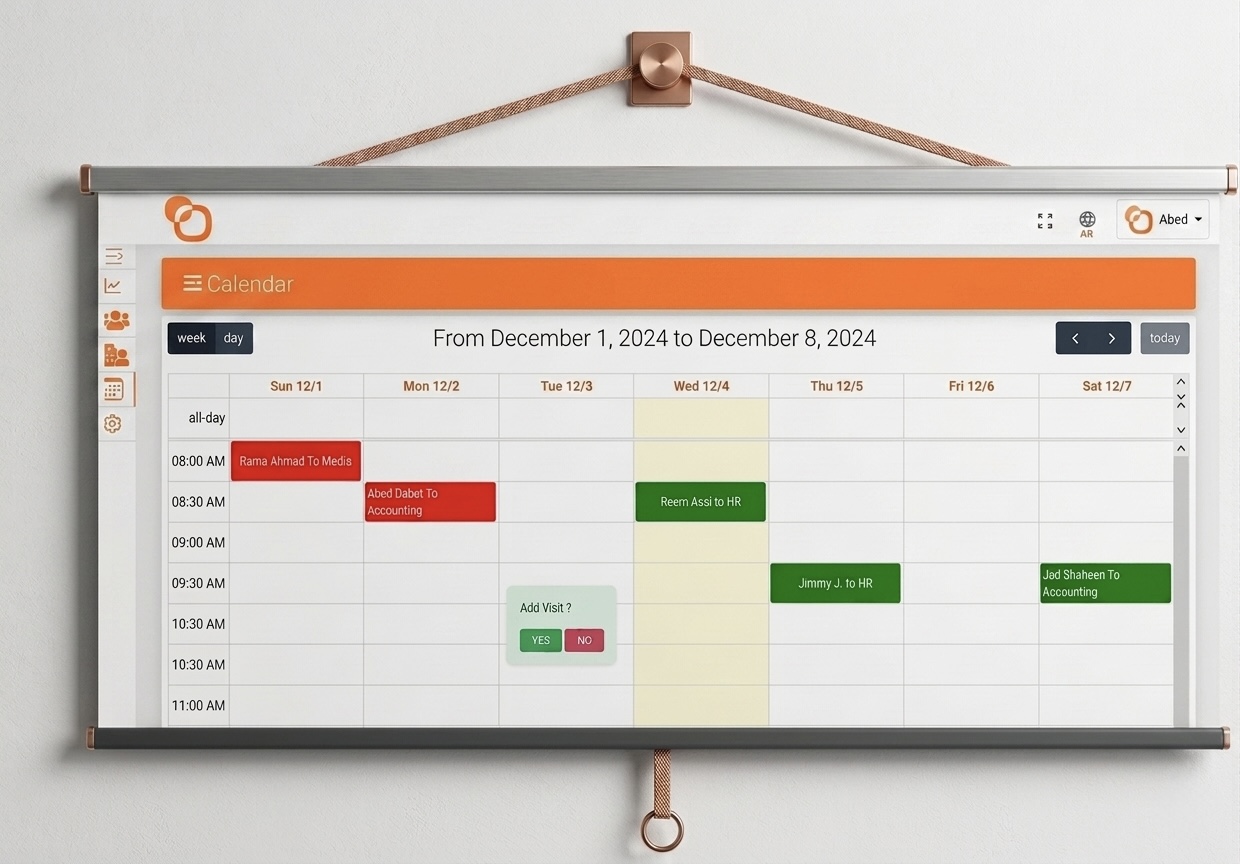
3.INTERACTIVE CALENDAR
1.View bookings on a daily, weekly, or monthly timeline
2. Click on individual bookings to view: Customer Name, Service Type, Booking Time, Assigned Dept.
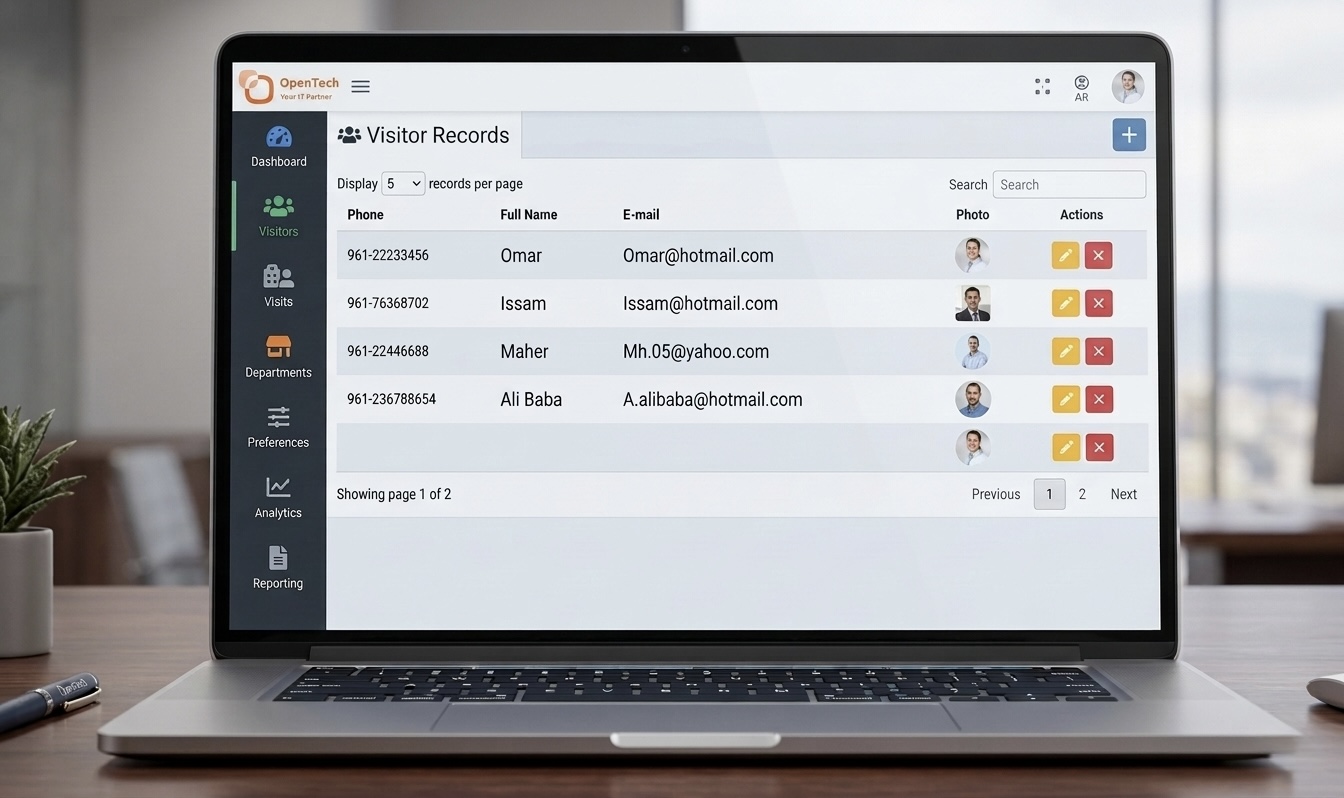
VISITORS SECTION
A grid of all visitors will appear upon page load, and clicking the 'Add' button opens a popup with a form to add a new visitor.
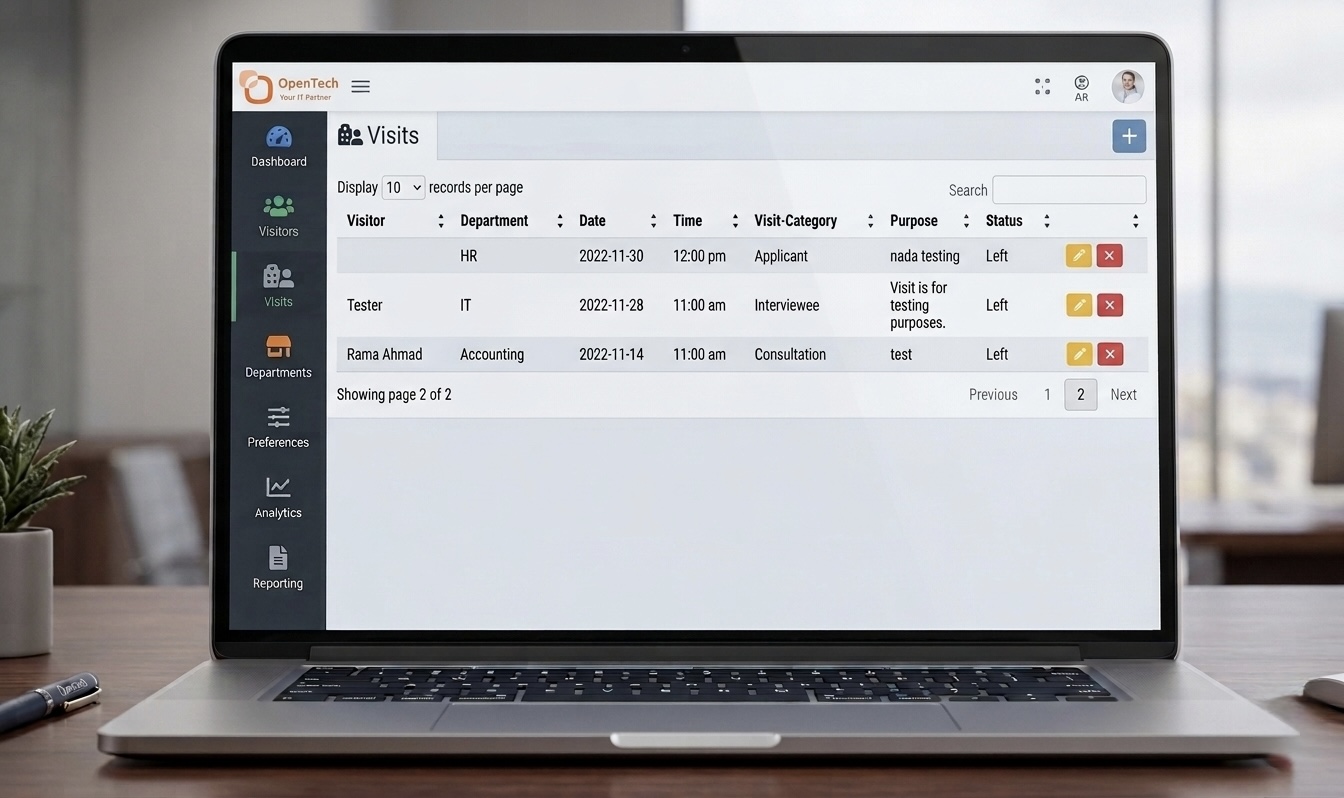
VISITS SECTION
In this Section a grid that list all visits will be displayed, clicking on the "ADD" button a popup window will be opened with the visit form to allow adding new one.
DEPARTMENTS SECTION
It allows administrators to add, edit, or delete departments.
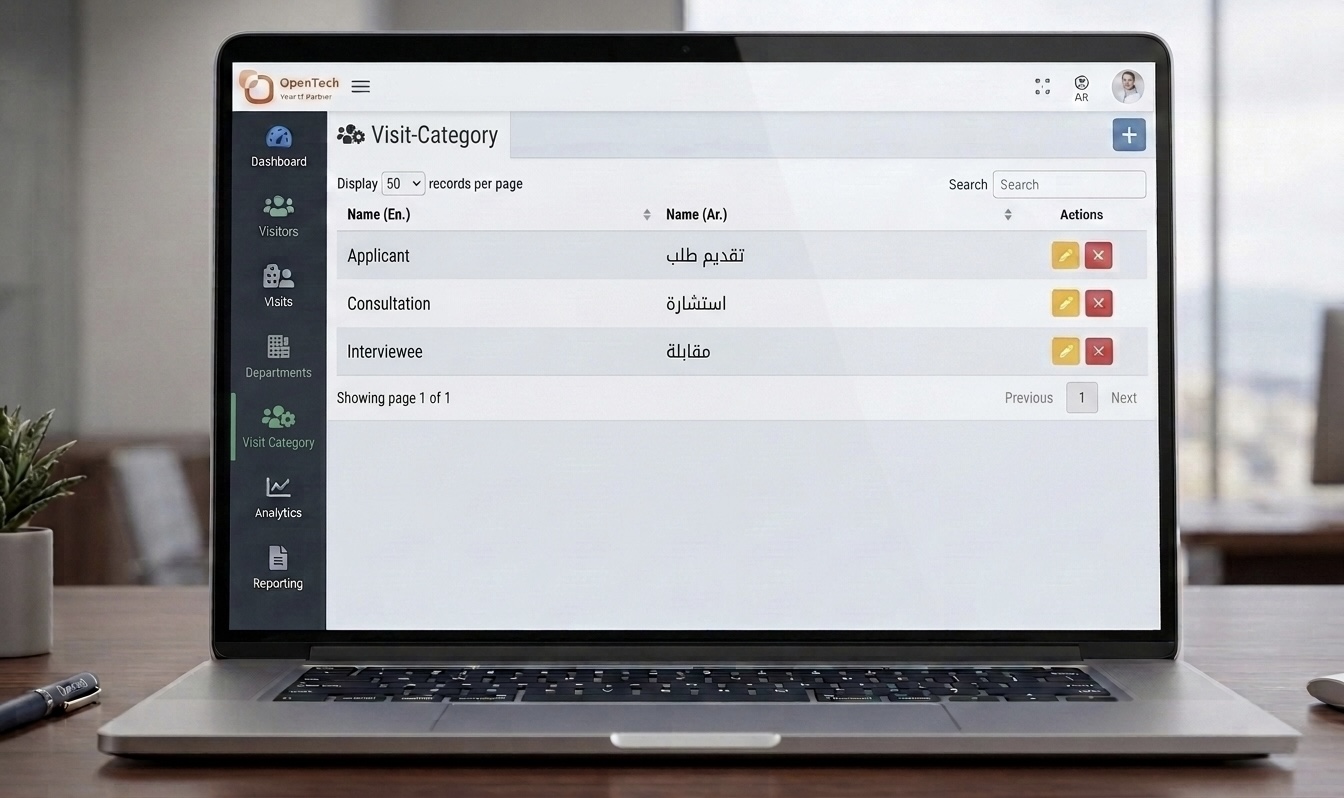
CATEGORY SECTOR
Similar to departments, it allows adding, editing, and deleting visit categories.
PREFERENCES SECTION
Admins can update info and access the visitor reservation page link.
VISITOR RESERVATION SECTION
For those who wish to request a visit to your organization,
you can provide a link to your website or send it via WhatsApp. Visitors can select the department they wish to visit, view available time slots, and, after choosing a suitable time, fill in their information and click the submit button.